One-Page Websites: When They Work (And When Not)
One-page sites work for one offer, one event, one audience — and cap growth beyond that. Honest scenarios, the SEO ceiling, scroll data, costs and a growth plan.
 Emrah KaragözFounderOctober 1, 202618 min read
A one-page website puts every section of your content on a single URL that visitors reach by scrolling instead of clicking. It is the right call when you have one offer, one event or one audience; once you need to rank for more than two or three distinct search intents, the SEO ceiling arrives fast.
Most businesses approach this decision from the wrong end. The question is rarely "can we afford more pages?" It is "how many different people, asking how many different questions, does this site need to serve?" If the answer is one message and one action, a single well-built page beats a sprawling six-page site. If the answer is five services across three cities plus a content plan, one page will cap your growth inside six months and cost you a second project.
This guide gives you the honest version: where a one-page website genuinely wins, what it structurally cannot do, what the research says about scrolling and speed, what it really costs, and how to grow out of it without losing what you have built.
Table of Contents
- What a One-Page Website Actually Is
- When a One-Page Website Is the Right Call
- When One Page Is Not Enough
- The SEO Ceiling: What a Single URL Costs You
- Scroll Behaviour: Do People Really Go Down?
- Performance and Measurement on a Long Page
- Accessibility and In-Page Navigation
- Cost: Is One Page Really Cheaper?
- How to Grow from One Page to Many
- Frequently Asked Questions
What a One-Page Website Actually Is
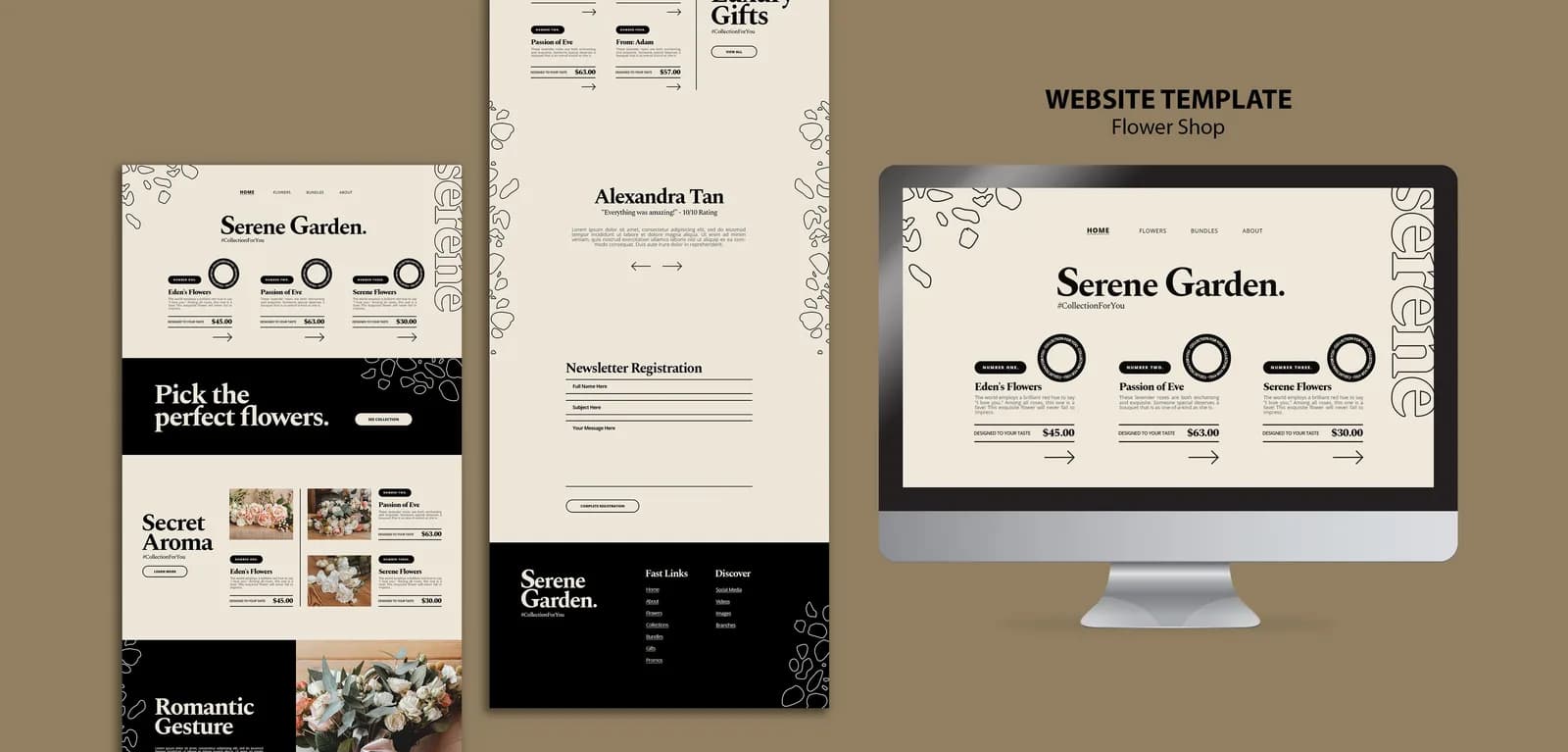
A one-page website keeps everything on a single document at a single address. Clicking "Services" in the menu does not load a new page; it scrolls the visitor to a section of the same page, usually through an anchor link such as yoursite.com/#services.
That #services part is the fragment of the URL, and it behaves differently from the rest of the address: the browser never sends it to the server, it handles it locally after the page arrives (MDN, URI fragment). Google treats it the same way. Its URL guidance says plainly: don't use fragments to change the content of a page, because Google Search generally doesn't support URL fragments, and if JavaScript changes your content, use the History API instead (Google, URL structure best practices).
Translated into plain terms: however many sections you build, search engines see one page. One title, one meta description, one URL. That is not automatically bad — it simply sets the rules of the game you are about to play.
Two things get confused with a one-page site. The first is a landing page: a campaign-specific page with a single conversion goal that usually lives alongside a larger site, which our landing page guide covers in detail. The second is a single-page application (SPA), which is an architecture choice — React or a similar library swapping content without full reloads — and can perfectly well have dozens of URLs. Google's JavaScript guidance is specific here: links must be <a> elements with an href attribute, and client-side routing should use the History API rather than fragments (Google, JavaScript SEO basics). So an SPA is not necessarily a one-page website, and a one-page website does not need to be an SPA.
One more thing worth settling early: a one-page website does not mean thin content. A well-built one covers the same substance a multi-page brochure site spreads across home, about, services and contact pages. The difference is not how much you say — it is how many separate doors lead into what you say.
When a One-Page Website Is the Right Call
A one-page website outperforms a multi-page site whenever the job is to deliver one argument and get one action. Nobody gets lost in a menu, the story is read in the order you wrote it, and on a phone the whole case is one thumb away.
| Scenario | Why one page works | What to watch |
|---|---|---|
| Event, conference, festival | One date, one programme, one ticket CTA | Archive or redirect the page after the event |
| Product or app launch | A single product story plus one signup CTA | No room for feature pages as the product grows |
| Personal brand, portfolio, CV | Linear story, proof visible in one screen | Case studies outgrow a section quickly |
| Single-service local business | One service, one location, call or form goal | A second service splits your keyword target |
| Idea validation, pre-launch list | Speed first, budget goes to ads | Set up conversion tracking from day one |
| Campaign microsite | Time-boxed, fed by paid traffic | Don't expect organic traffic to build |
The event case has a concrete technical advantage. Google's event structured data documentation states that the event experience on Google only supports pages that focus on a single event, and recommends adding markup to individual event pages rather than schedule or listing pages (Google, event structured data). A one-page site built for one event satisfies that requirement by design.
Test the decision with five questions:
- How many different things do you sell? One service or one product makes a one-page website a strong candidate.
- How do visitors find you? Ads, social and word of mouth suit one page; organic search as your primary channel does not.
- Will you publish content in the next 12 months? If yes, build something a blog can live in.
- How many locations do you serve? More than one means location-specific pages.
- How many actions do you want? One action (call, book, sign up) fits one page; three competing actions need navigation.
When One Page Is Not Enough
This is where honesty saves money. For some businesses a one-page website is the wrong decision from day one, and discovering that in month six — when you ask why organic traffic never arrived — is an expensive way to learn it.
- You sell several services. Each service has its own search intent, its own title and its own depth. Compressing five into one page makes all five shallow.
- You serve several cities or regions. Local search rewards location-specific content, not a list of city names in a footer.
- You run ecommerce. Product, category, cart, checkout and returns pages are not optional.
- You have a content plan. Publishing is, by definition, creating new URLs; our website content guide explains how that production is planned.
- You sell a technical product. Spec tables, integration lists and documentation do not fit one scroll.
- You are a corporate organisation. About, careers, investor, press, privacy and cookie pages all need their own addresses — see our corporate website guide for the full scope.
- You publish in several languages. Each language needs its own URL and hreflang pairing.
The practical threshold: if the number of distinct search intents you expect to serve is more than three, one page is no longer a saving — it is a deferred project. If two or more items on that list describe you, start with one page by all means, but budget the second phase now, because deferred work only grows.
The SEO Ceiling: What a Single URL Costs You
A one-page website gets indexed and can rank. Its problem is not legitimacy; it is capacity, and that capacity is fixed.
One title, one description. The headline and snippet in search results are defined per page. With a single page you compete for everything using one title that has to describe your whole business. Check how that title renders before you publish with our SERP preview tool.
Section anchors are not separate pages. #services and #contact are the same URL. They may collect impressions in Search Console, but Google does not index them as individual pages.
Sitelinks get weaker. Google generates the extra links under a search result by analysing your site's link structure, and says outright that if your site's structure doesn't allow its algorithms to find good sitelinks, it won't show them; its advice is a logical, easy-to-navigate structure with internal links to your important pages (Google, sitelinks). A site with no internal link structure leaves that space empty.
There is no growth path through content. Organic traffic compounds with content, and on a single page "more content" only means a longer page — which eventually nobody reads and nothing loads quickly.
Now the other side of the argument, which most comparisons skip: adding pages does not create traffic by itself. Across roughly 14 billion pages in its index, Ahrefs found that 96.55% get zero traffic from Google and 1.94% get between one and ten monthly visits (Ahrefs, 2023 study). Worse, mass-producing pages for rankings has a name in Google's spam policies: scaled content abuse covers pages generated primarily to manipulate rankings rather than help people, and doorway abuse explicitly covers city or region pages that funnel users to one destination (Google, spam policies). So the real comparison is never "one page or thirty" — it is how many pages genuinely answer a separate question. Our SEO-friendly design checklist covers how that structure gets built during design rather than bolted on later.
A one-page website still has wins available, and skipping them is a common mistake. You already rank first for your brand name. In local search your business profile carries most of the weight, with the site supporting it. Structured data for your organisation, services and FAQs can earn you more space in the result. Links from directories, press and partners work for one page as well as fifty. A one-page site that handles those four properly will outperform a neglected ten-page site without much effort.
Scroll Behaviour: Do People Really Go Down?
The whole one-page argument rests on scrolling: everybody scrolls now, so length is fine. The research half-agrees.
In Nielsen Norman Group's eye-tracking study, users spent about 57% of their page-viewing time above the fold and 74% within the first two screenfuls, up to 2160 pixels; the first three screenfuls account for 81%. The same measurement in 2010 put the first screenful at 80%, so people did learn to scroll — but attention still concentrates at the top and drops sharply after the fold (NN/g, Scrolling and Attention).
Device mix makes that window smaller. StatCounter's September 2026 figures put 58.99% of global web traffic on mobile against 39.26% on desktop (StatCounter, worldwide platform share). Two screenfuls on a phone is a very short runway.
Three consequences for a one-page website:
- Section order is a marketing decision. What you do, who you do it for and the primary CTA belong in the first two screens. Company history moves down.
- Write every section to stand alone. Visitors arrive in the middle of a page from an anchor link or a shared URL.
- Add a sticky menu and section links. On a long page without a way back up, people close the tab instead of hunting.
Performance and Measurement on a Long Page
A one-page website risks loading a whole multi-page site's worth of media in one go. Google's experience thresholds are measured per page: good is 2.5 seconds for LCP, 200 milliseconds for INP and 0.1 for CLS, assessed at the 75th percentile of page loads (web.dev, Core Web Vitals). Hitting those on one long page means not loading eight sections of imagery at once.
The obvious fix — lazy loading — carries its own trap. Google's documentation warns that badly implemented lazy loading can hide content from Google, and if you use infinite scroll it wants each content chunk to have its own persistent, unique URL, the displayed URL updated through the History API, and the result verified with the URL Inspection tool in Search Console (Google, fix lazy-loaded content). For the full speed checklist, see our Core Web Vitals guide.
Slowness has a measured price. Contentsquare's 2025 benchmark report, built on 90 billion sessions across 6,000 websites, names slow-loading content as a key driver of bounces, with 53% of users leaving after viewing a single page; the same report records conversion rates down 6.1% year over year while the cost of an online visit rose 9% (Contentsquare, 2025 Digital Experience Benchmarks). When each visit costs more, wasting it on a slow scroll gets expensive.
Measurement has a blind spot that catches almost everyone. Google Analytics 4 records one page view per visit by default, and its enhanced measurement sends the scroll event just once, when 90% vertical depth becomes visible (Google, GA4 enhanced measurement). A default setup therefore cannot tell you which section is working. On a one-page website, track at minimum: section visibility, form submissions, phone and chat clicks, and clicks on each CTA button. With those events in place you can finally answer the questions that matter — where visitors stall, which section precedes a form fill, and which section nobody ever sees. Reviewing that data quarterly and moving or deleting the dead section is the fastest conversion win a one-page site offers.
Accessibility and In-Page Navigation
One page does not make accessibility easier; it changes which rules apply.
WCAG's AA-level criterion 2.4.5, "Multiple Ways", asks for more than one way to locate a page within a set of web pages (W3C, Multiple Ways). A single-page site has no such set, so in practice the criterion falls away. Level A criterion 2.4.1, "Bypass Blocks", still asks for a mechanism to skip repeated blocks of content, and the same document notes that structural markup on individual pages is strongly promoted regardless (W3C, Bypass Blocks).
Four things deserve attention on a long single page: a correct heading hierarchy (one H1, sections as H2), keyboard focus that actually moves to the target when an anchor link is used, a sticky menu that can be operated by keyboard, and respect for reduced-motion preferences. Our WCAG guide covers the criteria and the legal exposure in full.
Cost: Is One Page Really Cheaper?
A one-page website costs less than a multi-page build — just not in the proportion people expect, because most of the budget goes into strategy, content and design decisions rather than page count.
| Cost item | One-page site | Multi-page site | Note |
|---|---|---|---|
| Strategy and content plan | Same | Same | You still have to define who you talk to and why |
| Copywriting | Less | More | Scales with pages, not with design |
| Interface design | 1 template | 3-6 templates | Where the real difference sits |
| Development | Less | More | Tracks templates and navigation |
| CMS setup | Often unnecessary | Needed | Updates are rare on one page |
| Required legal pages | Still needed | Still needed | Privacy and cookie notices |
| Hosting and domain | Same | Same | Scales with traffic, not pages |
| Maintenance | Less | More | Smaller surface to update |
That legal row exposes a detail worth knowing: a "one-page" site is almost never literally one page. Your privacy notice and cookie policy live at their own addresses, and under GDPR and CCPA the consent mechanics have to be real rather than decorative — our cookie compliance guide sets out what is actually required.
Two cost items get overlooked. First, visuals: a one-page site needs one strong image per section, and generic stock photography undermines it immediately. Second, copy: because the same page has to explain and persuade at once, the writing takes more work, not less. On a multi-page project a weak sub-page goes unnoticed; on one page every section sits in the shop window.
For real numbers, our cost guide puts DIY website builders at $200-$1,700 per year and freelancer builds at $1,500-$8,000, with agency work for a small business starting around $10,000; one-page projects typically land at or below the bottom of the agency band. Run your own scope through the website cost calculator, compare approaches in our builders versus custom build comparison, and see the full line-item breakdown in the corporate website cost guide.
Choosing one page for budget reasons is defensible on exactly one condition: it has to cover all of your goal. If it covers half, it is not a saving — it is a plan to pay twice.
How to Grow from One Page to Many
Starting with one page and growing is a legitimate strategy, as long as you plan for it. We run the transition in six steps:
- Inventory the content. List every existing section and decide which deserves a full page and which is a two-paragraph block.
- Map sections to pages. Define the target intent, title and URL for each new page. If one section serves two intents, split it in two.
- Keep the home page as the hub. The old single page becomes a summary home page linking out to the new ones, so existing links and accumulated rankings stay where they are.
- Mind the anchors. Addresses like
#servicesnever reach the server, so you cannot redirect them server-side. Leave links to the new pages under the matching headings on the home page for anyone who saved an old anchor. - Redirect anything whose address changes. Where the domain or existing URLs change, set up permanent 301 redirects; our website redesign guide has the full no-lost-SEO checklist.
- Watch the first 60 days. Track indexing, query distribution and click-through in Search Console; queries the home page loses should start showing up on the new pages.
Do not leave the timing to instinct either. Start phase two when one of three signals appears: your home page collects impressions for unrelated queries but no clicks, sales calls keep including the sentence "I couldn't find it on your site", or you hesitate to add a new section because the page is already too long.
Planning this on paper from day one pays off in a specific way: you build the one-page site so it can be taken apart later. You write section copy that does not depend on its neighbours, optimise images individually, and build forms you can reuse. Phase two then becomes a migration rather than a new project.
Frequently Asked Questions
Is a one-page website bad for SEO?
Not bad, but limited. Google indexes and ranks one-page websites normally; with a single title, description and URL, though, you can realistically compete for one or two closely related search intents. Target several services or locations and the ceiling shows up quickly.
How many sections should a one-page website have?
Four to seven sections cover most businesses: who you are, what you do, how you work, proof or testimonials, pricing or packages, and contact. Writing each section to answer exactly one question works better than adding more sections.
Is a one-page website the same as a landing page?
No. A landing page is usually built for one campaign or offer with a single conversion goal and lives alongside a larger site. A one-page website is the main site, representing the whole business.
Can I add a blog to a one-page website?
The moment you add a blog, the site becomes multi-page, because every post needs its own URL. The right setup is a separate blog section next to the single page; pasting posts into the page as blocks hurts both readability and search performance.
How long does a one-page website take to build?
With copy and images ready, one to three weeks is typical, and most of that time goes into content preparation. If content production is part of the scope, plan from four weeks upward.
Is it hard to convert a one-page website into a multi-page site later?
Not if you planned for it. When sections were written independently, each moves to its own page and the original becomes a hub. The hard cases are sites whose section copy is interdependent and that have no CMS behind them.
Does a one-page website work for Google Ads?
Usually yes, because the visitor is persuaded in one uninterrupted flow. If each campaign needs a different message, though, a dedicated landing page per campaign converts better than sending all traffic to the same page.
A one-page website is a fast, economical answer to the right problem and a deferred cost attached to the wrong one. Keep the decision anchored to a single question: how many different people, with how many different questions, does this site need to serve? If the answer is one message and one action, one page is enough and it will perform. If the answer changes by service, location or product, a multi-page structure is not optional.
If you are not sure which side you are on, we can look at your goals and budget together and scope the version that fits. Browse our web design services or get in touch to talk through your project.
Need professional help with this?
Talk to our team about your project — same-day response, free quote.